
Above & Below
2026 · Movie

Afdah
Featured films, clear categories, and a direct title search. Find the movie you remember or discover one you missed.
2026 · Movie
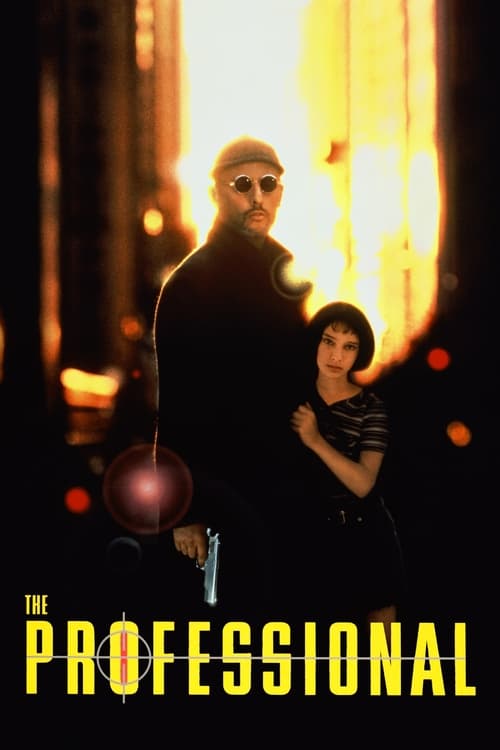
1994 · Movie

2002 · Movie

2003 · Movie
2002 · Movie

2026 · Movie

2026 · Movie

2026 · Movie

2026 · Movie

2026 · Movie

2022 · TV Series

2023 · TV Series

2023 · TV Series

2020 · TV Series

1989 · TV Series

2026 · TV Series

2026 · TV Series

2026 · TV Series

2026 · TV Series

2026 · Movie
Use the film index on Android, iPhone, and tablet.
Read guide →Recover a title from an address that no longer opens.
Read guide →Check the search and selected category.
Read guide →Choose another offer or another film from the index.
Read guide →Afdah puts films within easy reach through title search, genres, release years, and clear movie pages. Explore a crime story, a historical drama, an adventure, or a series you want to begin. The poster catches your attention; the description helps you decide whether the story deserves it. Open a title, compare its year and format, and save it in My List when you want to return.
Our search combines title text with movie or TV format, genre, and year filters. You can sort the matches by popularity, release date, rating, or name. Set your viewing country before following a watch link to JustWatch, where current services and offers can be checked for that title. Browsing Afdah is free and does not require an account. The service you choose supplies the video, including its available picture quality, audio, subtitles, and access conditions.
The Afdah movie catalog is arranged around individual films. Each title gives you a way to move beyond the first impression of a poster and into the story's setup. Look for a person, problem, or place that interests you. A film can feel immediately appealing because of a small premise, without needing a famous name or a spectacular image to justify the choice.
Opening a page is useful even when you do not intend to watch immediately. The title, year, and overview establish what the film is, while My List gives you a way back. That is particularly helpful when a recommendation arrives in the middle of something else. You can preserve the film without deciding its viewing time or service on the spot.
A catalog can contain several works whose names resemble one another. A remake may share the original title, a documentary may share its subject with a dramatized feature, and a franchise may reuse familiar wording. Check the release year and premise before continuing. Those details help you choose the right work again when the viewing service shows related results.
Read the description for the kind of experience it suggests. A crime film might focus on investigation or consequences. An adventure might be playful or severe. A historical story might follow a public event or a private life. A broad genre helps you locate the shelf, but the individual situation gives you the reason to watch.
The Crime page offers more than one way to approach a story. Some films follow investigators trying to establish what happened. Others stay with people drawn into crime or the communities around them. You can choose according to which point of view interests you, rather than assuming that every crime movie is primarily a puzzle with a solution.
City of God places different paths through life within a violent neighborhood. The premise makes its setting and the people growing up there central to the film. Léon: The Professional begins from a very different relationship and set of circumstances. Both appear in the catalog, but the shared category does not make their tone, intensity, or characters interchangeable.
Read a film's setup without requiring a summary of all its turns. Knowing who is involved and what the central pressure is can be enough to make the choice. If the subject matter is sensitive for someone watching, check the viewing service's content information as well. A genre or poster cannot describe every detail that might matter to your group.
Crime films often reward attention to names, relationships, and small changes in behavior. Clear dialogue and synchronized subtitles can help you follow them comfortably. Check those settings before starting if they are important to you. Once the story begins putting its pieces together, you will have less reason to interrupt it to recover a missed exchange.
An investigation story can hold your attention through uncertainty, procedure, conflicting methods, or the effect of a case on the people involved. Memories of Murder uses detectives pursuing a difficult case as its starting point. Anatomy of a Fall places suspicion within a family and a disputed account of events. Their premises illustrate how different stories can emerge from the broad question of what happened.
Choose whether you want the film to lead you through evidence, explore the investigators, or examine the people whose lives become part of the case. A description usually reveals that emphasis without giving away the outcome. The same broad category can contain a tense pursuit, a courtroom drama, and a reflective story about uncertainty.
A strong recommendation sometimes reveals too much while trying to explain why a film works. If the setup already interests you, stop reading before an analysis lays out the decisive scenes. Afdah title pages provide the basic identity and premise, allowing the film to introduce its own evidence and complications.
For this kind of viewing, avoid treating every unclear moment as a mistake. A film may deliberately withhold information or present conflicting viewpoints. At the same time, make sure subtitles and audio are clear enough that uncertainty comes from the story, not from a technical mismatch. A readable track and comfortable sound make that distinction easier to enjoy.
The History collection provides a starting point for films connected to earlier periods and events. Some follow prominent figures, while others approach a period through ordinary lives. Choose the part of the story that interests you: a conflict, a relationship, a place, or a decision made under conditions different from your own.
A historical setting can be part of the atmosphere without making a film a complete account of an event. Dramatized works can combine incidents, imagine conversations, or emphasize one perspective. Enjoy the storytelling while keeping that distinction in mind. If the subject leaves you curious, reliable material about the period can give you a fuller picture afterward.
The release year and the year in which a story takes place are separate facts. A recent movie can explore a distant century, while an older film may have been set in its own present. Use the catalog's release-year filter to identify the production, then read the premise for its setting. Mixing those dates can otherwise make a straightforward search unnecessarily difficult.
Historical films can also benefit from checking the edition. A restored release, television version, or extended cut may differ in runtime and language options. Confirm the version on the viewing service when you are looking for something specific. The title page identifies the film, while the service's offer explains which presentation you can watch.
In the Thriller collection, tension can come from movement or from waiting. A chase makes the danger immediate. A confined setting can make an ordinary conversation feel uncertain. A person hiding information can drive a story without a large action sequence. Read the central situation and choose the kind of suspense you want to follow.
Thriller, mystery, crime, and horror often overlap. A mystery asks you to understand something concealed; a thriller may show you the danger and make you wait for its consequences. Horror can add fear through imagery, atmosphere, or an unfamiliar threat. The premise and the viewing service's content details help distinguish those experiences more clearly than the poster alone.
If you prefer sustained suspense to sudden shocks, look for descriptions centered on a dilemma, investigation, or escalating suspicion. If you want more movement, a pursuit or survival situation may be a better fit. These are ways to read the available information, not fixed promises about every film using those words.
Dark scenes and quiet dialogue make presentation worth checking. Choose a comfortable room brightness, preserve the full frame, and use subtitles if they help. If the image becomes blocky or stalls, reduce the available streaming quality rather than immediately changing the television's picture settings. The source and connection are useful things to test before blaming the display.
The Adventure page can introduce journeys, unusual settings, and groups facing obstacles together. The appeal often comes from what the characters are trying to achieve as much as from the places they visit. Look for a clear goal in the premise. It gives you something to follow even when the setting or franchise is unfamiliar.
Action can be organized around a mission, a rescue, a rivalry, or an escape. A tightly focused story and a sprawling franchise entry can both be entertaining, but they ask for different levels of background knowledge. Confirm whether the title is a sequel or new adaptation before choosing it as your first introduction to the characters.
When a series of films has several similar names, keep the full title and year together. Release order can differ from the chronology inside the story. If the order matters to you, check an authoritative description of that franchise, then locate the individual entries in Afdah. A familiar poster does not establish which chapter you opened.
Fast movement can make streaming compression more noticeable. If busy scenes break into blocks or repeatedly pause, test a consistent lower quality in the viewing service's player. A clear, steady image lets you follow the action. A higher resolution is useful when the source and connection support it, but the label alone does not guarantee a better experience.
Afdah search matches titles and original titles in the catalog. Begin with the film or show's name rather than a whole sentence asking to watch it. A distinctive phrase is usually easier to match than a common word. Compare the year and Movie or TV format when several results share part of the name.
For names containing accents or punctuation, try the recognizable words first. Original-title matching can also help when a film was released internationally under different wording. Once a result appears, the premise is the best way to establish that it is the same work. Artwork can change between countries without the film itself being different.
Search does not read every film's screenplay or act as a complete cast directory. A line of dialogue, character description, or actor's name may not find a listed title. If that is the information you have, establish the name first and then use it here. Keeping the query close to the catalog's title information makes results easier to interpret.
When nothing matches, shorten the query and clear restrictive filters. A remembered year may refer to a local release rather than the initial date used in the catalog. A movie may also be absent from the current selection. Repeating the same query cannot distinguish those cases, while a broader title search and a look through the relevant genre often can.
The combined search controls let you select movie or TV format, genre, and release year alongside title text. Each filter has a clear purpose. Format separates features from shows. Genre groups a broad kind of story. Year focuses the release period. Apply the conditions that matter to your search instead of selecting every option before inspecting the results.
If a filter produces no matches, remove one restriction at a time. Start with the detail you are least certain about. A thriller may have crime or drama among its genres, and an international film's release can be remembered under a different year. The overview can confirm a match after a broader search succeeds.
Sorting changes how you encounter the remaining titles. Popularity, rating, release date, and alphabetical order offer different views. Alphabetical order can be useful when you want a predictable scan, while release-date order helps with newer productions. A rating order highlights well-rated entries without telling you which premise you will personally enjoy.
Use the result count as feedback about the search, not as a statement about every film ever made in a category. The controls operate on the current catalog. If you are exploring rather than identifying a title, widening the year or changing the sort can reveal another appealing option without losing the genre that brought you there.
New release interest often includes a second question: when is the film available in a good viewing edition? Open Latest to explore recent release information, then check the current service offer for the title. A film appearing in the catalog does not establish that every country or service already has an HD stream ready to play.
Festival dates, cinema openings, rentals, and subscription releases can happen at different times. A movie can be widely discussed before the offer you want becomes available. The title page helps identify the work and its premise. The viewing service confirms the available edition and access conditions when you follow the watch link.
Afdah searches for new movies and free films can therefore lead to different practical choices. If the new release has no suitable free offer, save it and browse another title for now. Your interest in the film remains clear, while the current evening does not have to depend on one release window.
For Trending, remember that attention is different from newness. An older film can return to conversation because of another release, a performance, or a renewed interest in its subject. That can be a good opportunity to discover something outside the newest year. The date tells you when the film appeared, not whether it will feel fresh to you.
The Top rated page gathers well-rated titles from the catalog. The scores shown are from The Movie Database, commonly called TMDB. They are not IMDb ratings. Top IMDb is a familiar phrase in movie browsing, but it should not make numbers from different sources appear interchangeable.
A score can encourage you to open a film you might have overlooked. It cannot describe how quiet, intense, funny, or demanding the movie will be. Read the premise and format alongside it. A highly rated film with a subject that does not interest you may be less suitable than another title whose setup immediately gives you a reason to watch.
Newer listings can have less voting history, and scores can change as more people respond. A tiny difference between two numbers may not be meaningful for your choice. Use the ranking as a browsing aid rather than a guarantee that one film will create a better evening than another.
If the top-rated selection is too familiar, try another year or switch the same search to alphabetical order. A catalog becomes more useful when you can approach it in several ways. The rating supplies one perspective, while your curiosity about a genre, language, period, or particular story supplies the rest.
The Release years page lets you browse beyond current conversation. Choose a year connected to a film you enjoy or a period you know less well. You may find a crime story, drama, comedy, or adventure that shares a production era without resembling the titles you already know.
Older films can use different pacing, framing, and visual texture. A patient opening may be establishing a community or relationship before the conflict becomes clear. Black-and-white photography or visible grain can be intentional parts of the presentation. Give the film a chance to establish its own rhythm rather than expecting it to resemble a recent trailer.
When choosing a classic, begin with the premise rather than its reputation alone. A film that sounds interesting is easier to approach than one selected only because you feel you should have seen it. Afdah keeps the description close to the title so the story remains part of the decision, even for a widely recommended work.
Confirm the edition if a restoration or particular cut matters. The original release year identifies the film, while a service may offer a later restoration or revised version. Runtime, sound, subtitles, and image treatment can differ. Check that information on the viewing service before assuming that every offer for an older title is identical.
The TV Shows catalog gives you a separate place to browse episodes and continuing stories. A series can be appealing through its characters, a recurring setting, or the way each installment develops a larger question. Read the overview to decide whether that is a world you want to return to beyond one viewing.
Some shows introduce a new case or situation in each episode. Others depend closely on the sequence of an entire season. Many combine both approaches. The format affects how easily you can begin, pause, or return after a break. Choose the structure that suits the way you want to watch, not simply the program that appears most often in conversation.
A series' year generally identifies its first release. It does not tell you the date of every season available on a service. Check the exact season and episode selection after opening the viewing option. A familiar title can be available under different offers in different countries, with some seasons included and others missing.
My List can save the show for later, but it does not track episode completion. Keep your place in the service that provides playback when it supports that feature. If you move elsewhere, compare the last episode's name and number. That avoids relying on a poster or abbreviated description to find the correct point in a long series.
Episode ordering is worth confirming when a show includes specials, recaps, or seasons released in separate parts. A service may place those items outside the ordinary numbered list. If the opening assumes an event you have not seen, check the episode name before continuing. You may have selected a later installment or an extra rather than the next part of the story.
For a series you have not started, avoid reading descriptions of later episodes to decide whether it is good. A main premise and the first episode's setup usually provide enough context. Let the show introduce its developments. If you need a reminder after a break, choose a recap intended for the point you reached.
Viewing offers can differ by season as well as by service. One platform may have the early run while another carries a recent release. Check the part of the show you actually need. A series page identifies the program, but the service controls the episodes, language tracks, and access arrangements it provides.
Before following a long run, confirm captions if they are essential. A working track on one episode does not guarantee the same options throughout every season. If a later installment is missing a language you need, compare another current offer for that exact season. Keeping the title saved helps you return without confusing a temporary access problem with a loss of interest.
Afdah's watch links open a JustWatch title search using the viewing country you selected. Confirm the matching film or series there, then compare the current services. A general search can show remakes, related titles, or a television adaptation, so use the name, year, and format you checked on the Afdah page.
The Country page sets that viewing preference in the current browser. It concerns where you want to check offers, not where the film was produced. A movie from another country can still have viewing options in your region. Another browser may use a different preference, so review it if the services shown appear unexpected.
Country availability and language availability are separate checks. A film offered in your region may not include the dub or subtitles you need. Inspect the edition on the service before starting. This matters especially when you follow a recommendation from someone who watched through another country's service selection.
Changing a catalog country preference does not change a viewing service's rules, account, or subscription terms. It gives you the appropriate regional search. Read the actual offer where playback happens so a missing title, a sign-in requirement, and an unsupported device are understood as separate conditions.
Browsing Afdah is free. The cost of watching an individual movie depends on the available offer after you open its viewing link. Check Free and With ads categories where they appear alongside Subscription, Rent, and Buy. Those are different arrangements, so confirm the one that applies to the edition you want.
An ad-supported service can be a practical way to watch free films, while some offers involve a library or another participating institution. A movie included in a subscription may also be convenient if you already use that service. The useful comparison is specific to the film, country, and access you have rather than a broad claim that every listing is free.
Check the available quality and language before deciding. A free offer without necessary captions may not suit you, while another version included in a familiar service may work well. If you choose a rental, confirm its period and the edition before paying on that service. The details matter as much as the presence of a watch button.
When the film has no suitable offer, save it and choose another title for now. My List preserves your interest but does not reserve a service or price. Revisit the viewing search when you return, because availability can change. A flexible current choice does not mean forgetting the film that originally brought you to Afdah.
Afdah's Languages page offers another way through the film catalog. A familiar genre can make an unfamiliar cinema approachable. Choose a crime film, romance, comedy, or adventure whose premise interests you, then enjoy the different performances and settings that come with it.
Original and translated titles can differ substantially. Search the name used in your recommendation, then try another established release name if necessary. The catalog can match original-title text, which helps connect an international film with the wording you know. Compare the year and overview to confirm the result.
Production country, original language, and available audio should not be treated as the same fact. A film can involve several countries and languages, while the service may offer dubs that differ from the original performance. Check the title's details for identification and the service's menu for the version you can actually watch.
Choose original audio or a dub according to what works for you. Subtitles preserve access to the original voices, while dubbed audio may be more comfortable for a group or younger viewer. Neither choice needs an elaborate justification. The aim is to follow the story comfortably in the edition available on your selected device.
HD commonly includes 720p and 1080p video. Full HD usually means 1080p, while 4K offers a higher pixel count for compatible equipment. These labels describe part of the presentation. The available format depends on the title edition, viewing service, plan, and device, so check the actual offer rather than treating the catalog as a guarantee of one resolution.
A source can carry an HD label and still show compression in difficult scenes. Smoke, fast movement, rain, and dark backgrounds can make artifacts more visible. A clean, stable source may look more pleasing than a higher-resolution version with aggressive processing or frequent interruptions. Evaluate the moving picture under ordinary viewing conditions.
For many laptop and television setups, 1080p is a comfortable option. A supported 4K edition can reveal more detail on a larger screen, but the connection needs to sustain it. If the player repeatedly pauses, try a lower available setting and allow it to settle. Repeatedly returning to the highest option can recreate the same buffering problem.
Automatic quality can help when the connection changes. The player may temporarily reduce sharpness to keep the film running. If the shifts are distracting, choose a stable manual option when available. Make one change at a time so you can tell whether resolution, connection demand, or a particular stream is responsible for what you see.
A film may have a different shape from your television. Black bars can preserve the complete image, while zooming or stretching removes them by changing proportions or cropping the frame. Begin with the original aspect ratio. Faces, subtitles, and compositions are easier to appreciate when the display does not force every film into the same shape.
High dynamic range, also called HDR, concerns brightness and color on supported equipment. It is separate from resolution, and formats vary by service and device. If an image looks unusually dark or washed out, inspect the selected format and display settings. Room lighting can also make shadow detail difficult to see without anything being wrong with the source.
For unclear speech, compare the available audio track with your speaker setup. A surround mix may not sound ideal through a small arrangement. A stereo option or dialogue-focused setting can be more suitable. Keep volume moderate when changing tracks, since different versions can have different loudness.
Wireless headphones can create a delay between sound and movement. Check whether the delay remains through the device's own speakers, then use a sync adjustment if your setup provides one. Testing the part that changes is more informative than restarting everything at once. The goal is comfortable dialogue so the film can hold your attention without further interruptions.
Subtitle tracks come from the viewing service, not from the language label on the Afdah catalog page. Check the exact edition when you need a particular language. A film can have several offers with different audio and caption selections. Confirming that detail before starting is especially useful for dialogue-heavy dramas and international films.
Translation subtitles usually concentrate on speech. Closed captions can include speaker identification and significant sounds. Tracks marked SDH are intended to help viewers who are deaf or hard of hearing. Read the menu labels and choose the version that meets your needs, rather than assuming that every track in one language is identical.
If text appears early or late, determine whether the offset remains constant. A timing control can help when the player supplies one. Drift that grows through the movie may indicate a track prepared for another cut. Try another matching track or edition instead of continually adjusting a difference that keeps changing.
For missing captions, test a scene with dialogue and confirm that visibility is enabled as well as a language selected. If the issue persists, give the service the title, language, and affected point. On a television, adjust size and background for the viewing distance, and check the settings again after casting from a phone.
A phone is convenient for looking up a recommendation while it is fresh. Open Afdah in the browser, read the movie's description, and save it if you want to return. Later, follow the viewing offer on the same device or find the matching title in the service's supported television app. Browsing and playback do not have to happen on one screen.
When streaming on mobile, review the service's data controls. Video uses substantially more of the connection than reading catalog pages. A data-saving option can help away from Wi-Fi, and automatic quality can respond to changing reception. A small screen may not benefit enough from the highest format to justify repeated pauses.
Tablets and laptops give subtitles more room. Use a comfortable position, check the audio output, and confirm that the viewing service supports the browser or app. A stable stand or desk can make a long film easier to follow than holding the screen throughout.
Your Afdah My List and country preference are saved locally in the browser. Another device may have a different list and setting. Keep the film's page link somewhere you can open on the other device when that matters. A viewing service may have its own account-based history, but it is separate from the browsing choices stored here.
Use the viewing service's supported television app when available. Search the title on the device where typing is easiest, then open the same film or show in the TV app. Its controls are usually arranged for a remote, which can make subtitle selection and episode navigation more comfortable than using a full television browser.
Casting is another option when the service and your devices support it. Use the cast control inside the viewing app and select the television or streaming device. Network conditions affect whether the receiver appears. If the option is absent, consult the service's supported-device information rather than assuming that every video can be cast from any browser.
Screen mirroring has different behavior and restrictions. A service may display controls but no protected video in a mirrored view. Try the supported app or casting method for that device when appropriate. A cable connection can have compatibility requirements too, so check the actual setup instead of repeatedly refreshing the catalog page.
Test audio, captions, and the correct title before settling into a group viewing. A service may resume a previous film or episode, and a soundbar may retain another source's settings. A short scene with speech is enough to reveal many mismatches. Once the setup is comfortable, leave the controls alone and let the story develop.
The App page explains direct browser access and home-screen options for this site. A supported browser may offer a shortcut or installation that makes returning easier. The wording varies by operating system and browser. It is a convenient way to reopen Afdah without searching for its address on every visit.
There is no native Afdah APK download provided here. An Android installation package is different from a browser shortcut. If you searched for Afdah movies APK download or an Android movie downloader, use the access information on this site to understand the available function. Similarly named apps elsewhere may have other publishers and purposes.
Afdah does not supply movie files. Offline viewing depends on the chosen service's supported app and the title's download conditions. Confirm that a download finishes, includes the language you need, and remains available for the period you intend to use it. A saved title in My List is not a downloaded film.
For travel, check storage, expiry, and account access before leaving a reliable connection. Higher-quality downloads take more room, and a full season can occupy much more space than one feature. Test the offline item in the service's downloads area. A poster or cached webpage does not prove that the video is ready to play without internet access.
My List keeps the films and shows you choose to save in the current browser. It can hold a recommendation, a title you want to compare later, or a series you intend to begin. You do not need to create an Afdah account to use it, and you decide which entries belong there.
Local storage defines its limits. Another phone, computer, or browser can have a different list. Clearing site data or ending a private session may remove saved entries. Keep important title links in a separate note or bookmark location when you want a record independent of one browser.
If a save action reports that storage is unavailable, read the message and review the browser's usual settings when needed. Repeated clicks will not resolve a storage restriction. Preserve your existing links before clearing data as part of troubleshooting, because that step can remove the list you were trying to recover.
Saving a title does not reserve a viewing offer or record playback progress. Check the current service choices when you return, and use the service's own history for episode position when available. My List remembers the film or show that interested you, leaving the final viewing decision connected to the options available at that time.
First identify where the problem appears. Afdah search, a title page, the external viewing search, and the service's video player are different steps. If browsing works but the player fails, investigate the service providing playback. If no page loads, check the address and connection before assuming the issue concerns a particular film.
For buffering, pause briefly and lower the available quality. Try another title on the same service to see whether the failure is specific to one stream. Streaming servers and source selectors, when provided, belong to that service. Afdah watch links do not control a collection of Afdah-hosted movie servers.
Read specific error messages before changing settings. A sign-in requirement, unsupported browser, and regional availability notice each suggest a different check. Use a supported app or browser and confirm the offer. Make changes one at a time so you can tell whether they affect the problem rather than losing track after a broad reset.
For persistent faults, record the title, year, episode if relevant, device, viewing service, and exact message. The Status page is the place for Afdah access information. One unavailable link or failed connection does not establish a worldwide outage. A precise report makes it easier to distinguish the page, offer, and player involved.
Afdah searches can include info, information, TV, live, or an older address alongside the brand name. Those words often reflect a remembered page or bookmark. They do not establish who controls a current site or which features it supplies. The Domains page keeps the access information provided here in one place.
If an old bookmark fails, check whether the homepage and another title page open. A moved page is different from the whole site being unavailable. Search the film again if only the deep link is missing, then save the intended page once you reach it. That avoids repeating the same outdated step on the next visit.
Mirror, proxy, and unblocked claims need context. A similar logo or catalog does not prove common ownership, and an unexpected redirect should be understood before it is treated as continuity. On a managed workplace or school network, follow the access rules and use an appropriate personal connection for entertainment.
For Afdah alternatives, compare the exact need you have: a movie, season, language, device, or suitable free offer. Reddit discussions can help when they describe a clear symptom and date, but may refer to another address or edition. A useful alternative solves the viewing need and lets you return your attention to the film.
A documentary can be appealing because you want to understand a subject, a person, or an event. The same subject can produce very different films depending on the questions asked and the people included. Read the overview for that angle. A music documentary may follow a performance, a career, a place, or the relationship between artists rather than cover everything about the subject.
True-crime documentaries also vary in focus. Some examine an investigation, others a disputed account, a community, or the effects on those involved. Check the description and content guidance when choosing. The category can include difficult material, and a factual basis does not make every film suitable for every audience or occasion.
Confirm whether the title is a single film or a documentary series. A feature can develop its subject in one sitting, while an episodic account may follow several connected parts. The service's runtime and episode information help you judge the commitment after you identify the correct title in the catalog.
After viewing, separate what the film directly showed from questions it left open. A compelling account can inspire further reading, especially when it presents one perspective on a complicated event. Use reliable material about the subject if you want to continue exploring. Enjoying a documentary does not require treating it as the last word on everything it covers.
Yes. You can search movies and TV shows, read title pages, and use My List without an Afdah account or subscription. The service you choose for playback has its own offers and conditions, which should be checked before watching.
It opens a JustWatch title search for the viewing country selected in your browser. Confirm the matching title and year, compare current offers, and continue with the selected service. The video and playback controls are provided by that service.
Use title or original-title text with movie or TV format, genre, and release year. Sort by popularity, release date, rating, or name. If no match appears, remove a restrictive filter or shorten the title before trying again.
No. Country sets the viewing region used by watch links and saves that preference locally. It does not filter production origins or change a service's access rules. Use title and language details separately when exploring films from different places.
No. The displayed scores are from The Movie Database, also known as TMDB. Use them alongside the premise and other title details. Different rating sources are not interchangeable, and a score alone cannot tell you which film will suit your interests.
Check the available free or ad-supported offer and the resolution supplied by the viewing service. Quality depends on the title edition, device, service, and sometimes plan. A catalog listing does not guarantee a free offer or every playback format.
Open the language and caption controls in the viewing service's player. Select the track you need and check its timing. Caption availability and customization differ between editions and devices, so confirm them again after moving playback to a television.
No native APK is supplied here. Use the browser version and App page for supported home-screen access. A similarly named app elsewhere can have a different publisher. Browser installation does not include movie files or combine viewing-service subscriptions.
Afdah saves the list locally in the browser where you selected titles. Another device or browser can have separate entries, and cleared site data or private-session closure may remove them. Keep important title links in your own notes when needed.
Afdah does not provide movie files or a downloader. Use a viewing service's supported offline option if available for the title and device. Confirm completion, language tracks, storage needs, and expiry conditions before relying on the download away from a connection.